
Digital Life Examples: How Technology Fits Into Everyday Life
A person’s digital life includes the devices, apps, online accounts, and services they use every day. Their sending messages, saving photos, attending online meetings, and paying bills through their apps are all examples of digital life. These activities make daily tasks easier to do. But they also create things to manage, such as digital files, subscriptions, and account security. The understanding of common digital life examples can help you to identify which parts of your digital setup need attention.

What Are Digital Life Examples?
Digital life examples include the everyday things people do with technology, from sending emails and attending online classes to storing documents and managing online accounts. For example, someone might use a smartphone for communication, a laptop for work, cloud storage for documents, and streaming apps for entertainment.
Their Digital life also includes managing subscriptions, organizing files, backing up important information, and protecting personal accounts. These activities are part of how people use and manage technology. Without them, it is impossible to get through a single day.
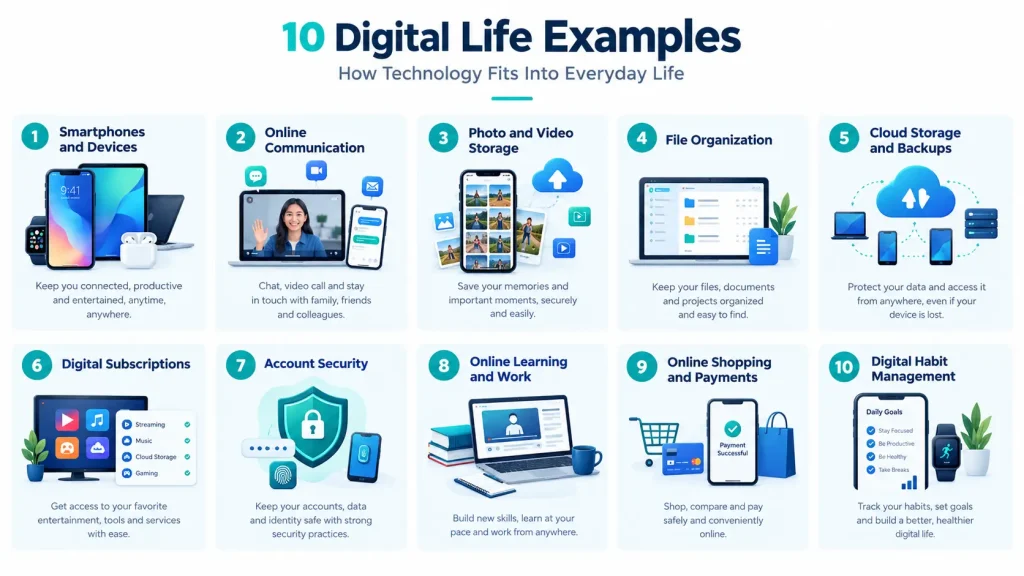
10 Common Digital Life Examples
1. Using Smartphones and Other Devices
Smartphones, laptops, tablets, and smartwatches help people communicate, work, study, and manage daily tasks. When you use multiple devices, it can be difficult to remember where different files and details are stored. You can identify the devices you use regularly to manage your digital setup more easily.
2. Communicating Through Online Platforms
Email, messaging apps, social media, and video calls allow people to stay connected with friends, family, and colleagues. However, important messages and documents can get lost across different platforms. If you receive important work or school documents by email, saving them in a dedicated folder can save time when you need them again.
3. Storing Photos and Videos
Photos and videos can take up considerable space on phones and computers. Someone who records videos regularly may need more storage than someone who takes occasional pictures. A few long videos can use more space than hundreds of ordinary photos, so check your largest files before deleting anything.
4. Managing Digital Files and Documents
School assignments, work reports, PDFs, and personal records are common digital files. Finding a specific document becomes harder when everything is saved in one place. You could create folders named ‘Work,’ ‘Study,’ and ‘Personal’ so that reports, assignments, and private documents do not end up mixed together.
5. Using Cloud Storage and Backups
Cloud storage lets you access files through online services, while backups provide additional copies if original files are lost. For example, you might store documents online and keep another copy on an external drive. Try opening a backed-up file or checking its last backup date to confirm that your important information is actually saved.
6. Paying for Digital Subscriptions
You may pay monthly or yearly fees for streaming platforms, music apps, cloud storage, and work tools. These costs can add up when you subscribe to several services. Look through your recent bank transactions for recurring charges. You may find an app or service that you signed up for months ago but rarely open now.
7. Managing Online Accounts and Security
Email, banking, shopping, and social media accounts may contain personal or financial information. Use strong, unique passwords and enable two-factor authentication where available. You can check your recovery information regularly to help restore account access when you forget your login credentials.
8. Studying and Working Online
Students use digital tools to attend classes, access notes, and submit assignments. At work, people rely on virtual meetings, emails, and shared documents to complete tasks. For instance, a student can keep lecture slides and assignment drafts in one course folder instead of searching through downloads before every deadline.
9. Shopping and Making Payments Online
People use websites and apps to order products, pay bills, book appointments, and check bank transactions. Before making a payment online, you must verify the website address, recipient details, and amount. Saving order confirmations and checking your payment history can help if a purchase is delayed or a charge looks unfamiliar.
10. Organizing Digital Habits
Digital habits include the small things you do to keep your online life manageable. For example, you might set a reminder to review app permissions, clear downloads you no longer need, or check which apps can access your personal information. Spending a few minutes on these tasks each month can help you stay aware of how you use technology and make changes when needed.
How Can You Assess Your Own Digital Life?
Start by looking at the devices and apps you use most often. You might notice that your phone is running out of space, an old subscription is still charging you, or an important document is saved in a place you can no longer remember.
How Can You Improve Your Digital Life?
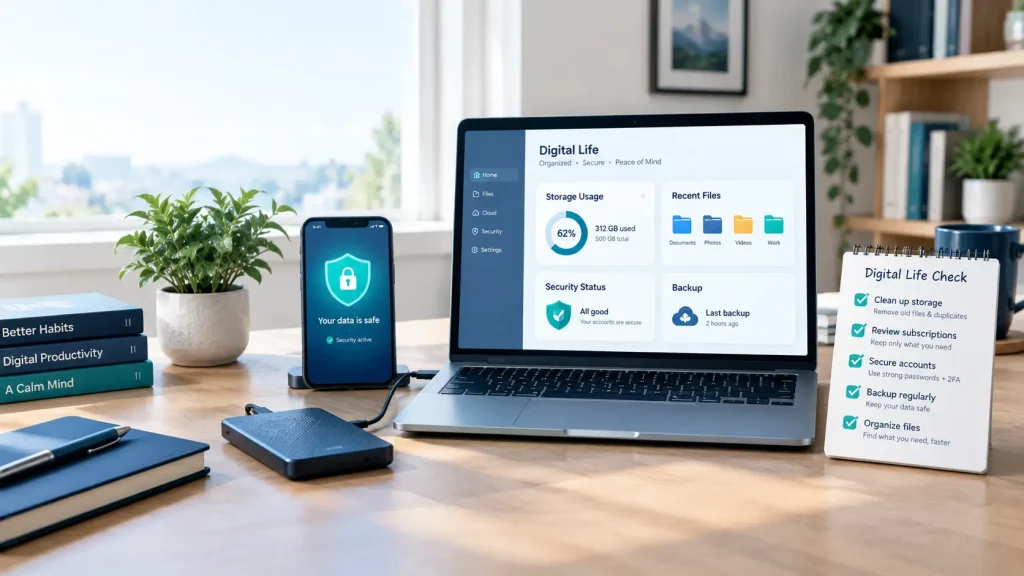
You do not need to reorganize everything at once. Choose one problem that affects you most, such as running out of storage or losing track of important files, and deal with it first. Once that is sorted, move on to the next task.
FAQs About Digital Life Examples
Is saving photos to Google Drive an example of digital life?
Yes, when you save photos to Google Drive, this is part of digital life because it involves storing and managing files online.
Are online subscriptions part of digital life?
Yes, subscriptions for streaming, music, cloud storage, and software are all examples of digital life.
How is digital life different from screen time?
Screen time measures how long you spend using screens. Digital life is broader because it also includes your online accounts, stored files, subscriptions, and security habits.
Can one person have multiple digital lives?
Yes, they may have multiple digital lives. People can use separate accounts, devices, and platforms for personal activities, work, and study.
What causes digital clutter?
Digital clutter builds up when old downloads, duplicate photos, unused apps, and unnecessary files collect on your devices. Inactive accounts and forgotten subscriptions can also make your digital life harder to manage.
Final Thoughts
Digital life covers the devices you use, the files you store, the services you pay for, and the steps you take to protect your accounts. These digital life examples show how technology fits into everyday routines. You must review your storage, subscriptions, backups, and security habits which can help you to find areas that need attention. You can also use our Digital Life Analyzer to assess your current setup and decide which improvements to make first.